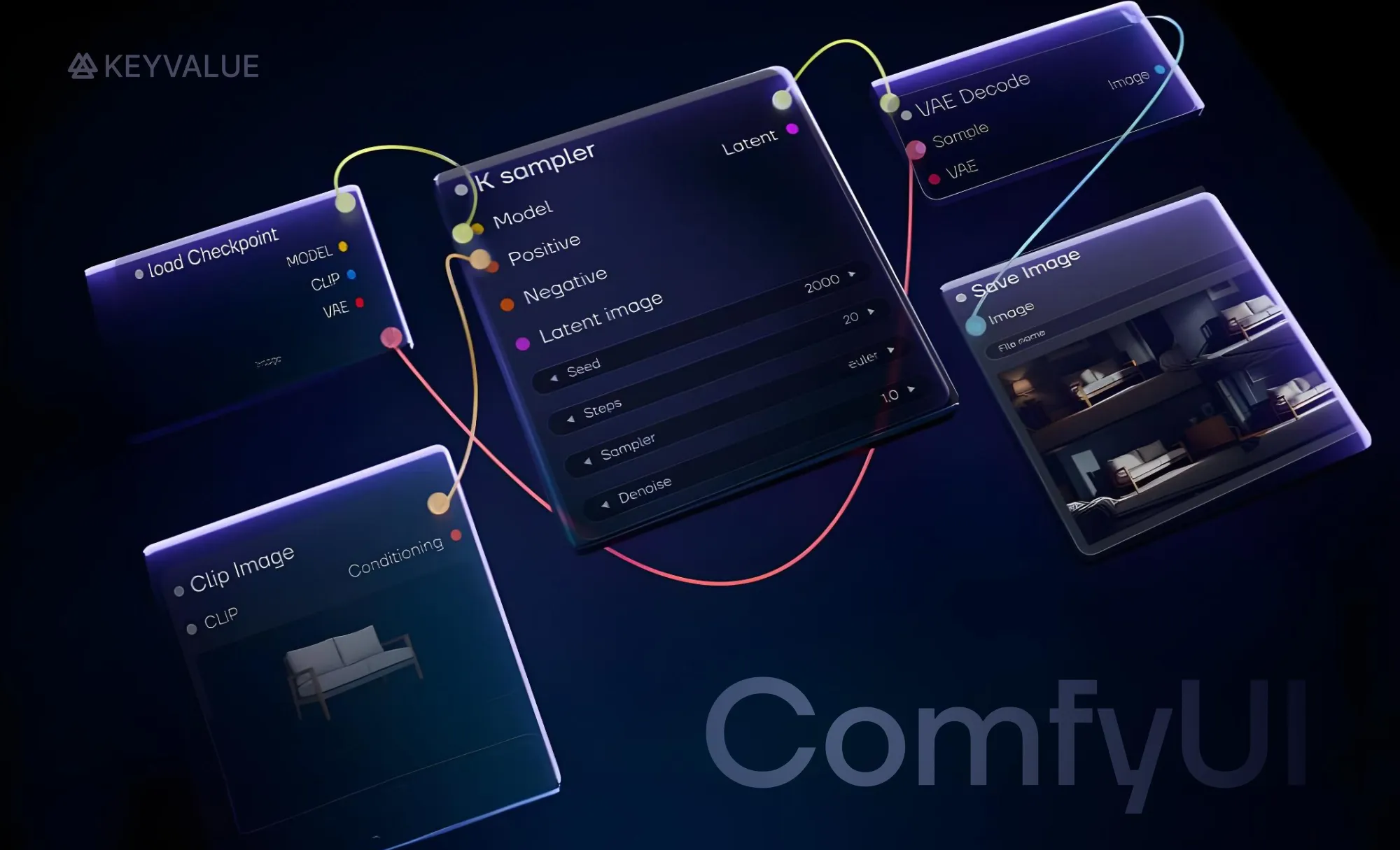
The evolution from AUTOMATIC1111 WebUI to ComfyUI via Stable Diffusion WebUI Forge marks the shift from simple interfaces to fully customizable, node-based AI image generation workflows.
While Forge enhanced relighting and performance, ComfyUI perfected detail preservation—keeping text, edges, and lighting realistic for product visuals.
Running AI pipelines locally via Forge and ComfyUI ensured cost efficiency, data privacy, and scalable, production-ready performance.
With emerging models like Flux and next-gen relighting tools, ComfyUI sets the benchmark for hyper-realistic, AI-driven product imagery.
The rising demand for AI-generated visuals
AI image generation has made creating visuals faster and more efficient, but getting high-quality results still requires the right tools and workflows. Some methods prioritize ease of use, while others focus on control and customization. Performance, flexibility, and quality all play a role in choosing the best approach.
For product images, the challenges go beyond just generating an image. Relighting, background integration, and detail preservation become crucial for realism and consistency. Some workflows struggle with blending products naturally into scenes, while others distort fine details like text and edges.
This article covers the transition from simple, accessible tools to fully customizable workflows focusing on Stable Diffusion WebUI Forge and other AI image generation frameworks. It compares different AI image generation frameworks, highlighting what worked, what didn't, and how each step improved lighting, blending, and detail preservation for high-quality product visuals.
Product image generation: A key focus area
Our primary goal was to build an AI-driven product image generation pipeline. Traditional product photography demands controlled environments, expensive equipment, and extensive editing—especially at scale. AI-powered generation eliminates physical setups, reduces manual editing, and accelerates turnaround times without compromising quality.
We aimed to generate high-quality product images with realistic lighting, accurate textures, and seamless background integration—all while maintaining product consistency across variations. This required precise control over relighting and shadows, which traditional tools struggled to deliver.
Why we took things into our own hands
Cloud-based AI platforms offer convenience but come with trade-offs: high costs, limited customization, data privacy concerns, and platform dependencies. Self-hosting allowed us to control our workflows, optimize performance, and fine-tune models to our needs, all while ensuring long-term sustainability.
However, building a scalable, production-ready self-hosted pipeline presented several technical challenges. Existing tools were either too basic or lacked the flexibility needed for production-ready results. We set out to create a system that balanced precision, flexibility and efficiency, adapting AI to our needs rather than adapting our needs to AI.
Laying the foundation: Experimenting with AUTOMATIC1111’s WebUI
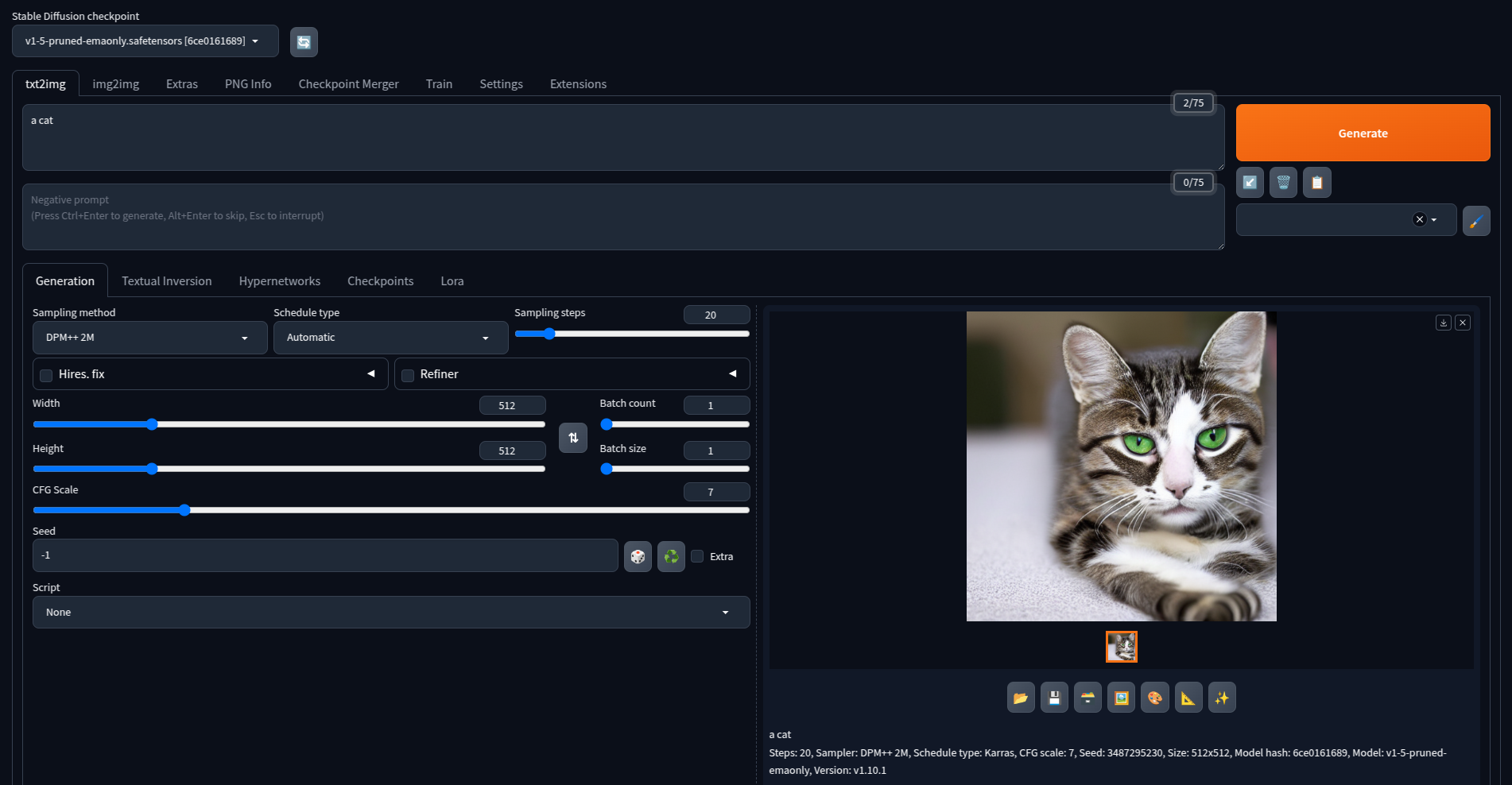
We began our journey with AUTOMATIC1111’s Stable Diffusion WebUI, an accessible and easy-to-use interface that provided a solid starting point for AI image generation. With its extensive plugin ecosystem, WebUI enabled quick experimentation with text-to-image and image-to-image workflows.
A basic text-to-image workflow in AUTOMATIC1111’s Stable Diffusion WebUI
As we expanded our use cases, we leveraged Stable Diffusion XL (SDXL), an advanced model known for its higher image quality for product background generation through inpainting—a technique that allows modifying specific parts of an image only.
To preserve product structure during background modifications, we incorporated ControlNet, a framework that adds fine-grained control over generation. While the dedicated SDXL inpainting model exists, we found that the base SDXL model performed well enough for our needs, delivering good-quality results while maintaining product details.
WebUI served as a great starting point, but it struggled with bulk processing, natural blending with the background, and precision which prompted us to seek a more powerful solution.
Breaking barriers: Scaling up with Stable Diffusion Forge
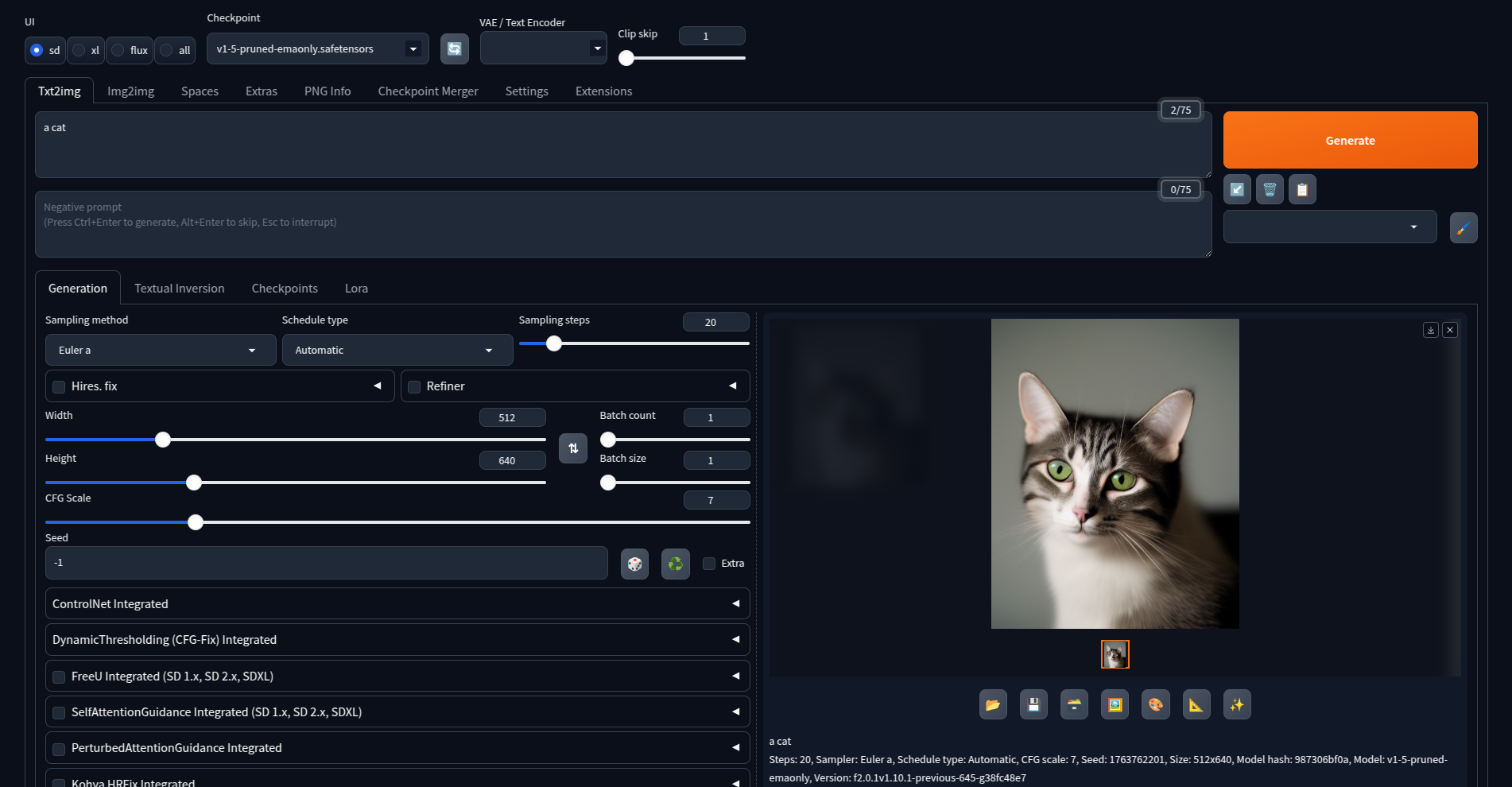
Stable Diffusion WebUI had some limitations, such as slower performance and limited customization options, so we decided to try using Stable Diffusion Forge. It offered better performance, more community support, and a wider range of extensions. Forge provided a smoother experience, especially for complex, high-detail workflows.
A basic text-to-image workflow in Stable Diffusion WebUI Forge
One of the key improvements came from an extension we integrated for shadow and lighting control of product images, powered by IC-Light, a relighting model based on Stable Diffusion 1.5. Despite being built on a lower-tier model compared to SDXL, IC-Light still delivered better results, allowing us to precisely control lighting, shadows, and highlights.
However, Forge struggled with fine detail restoration, often distorting text and logos or altering product edges and colors, making it difficult to maintain a perfect balance between enhancement and accuracy. To fully optimize our workflow, we needed an even more customizable approach.
Building the ultimate pipeline: ComfyUI and full customization
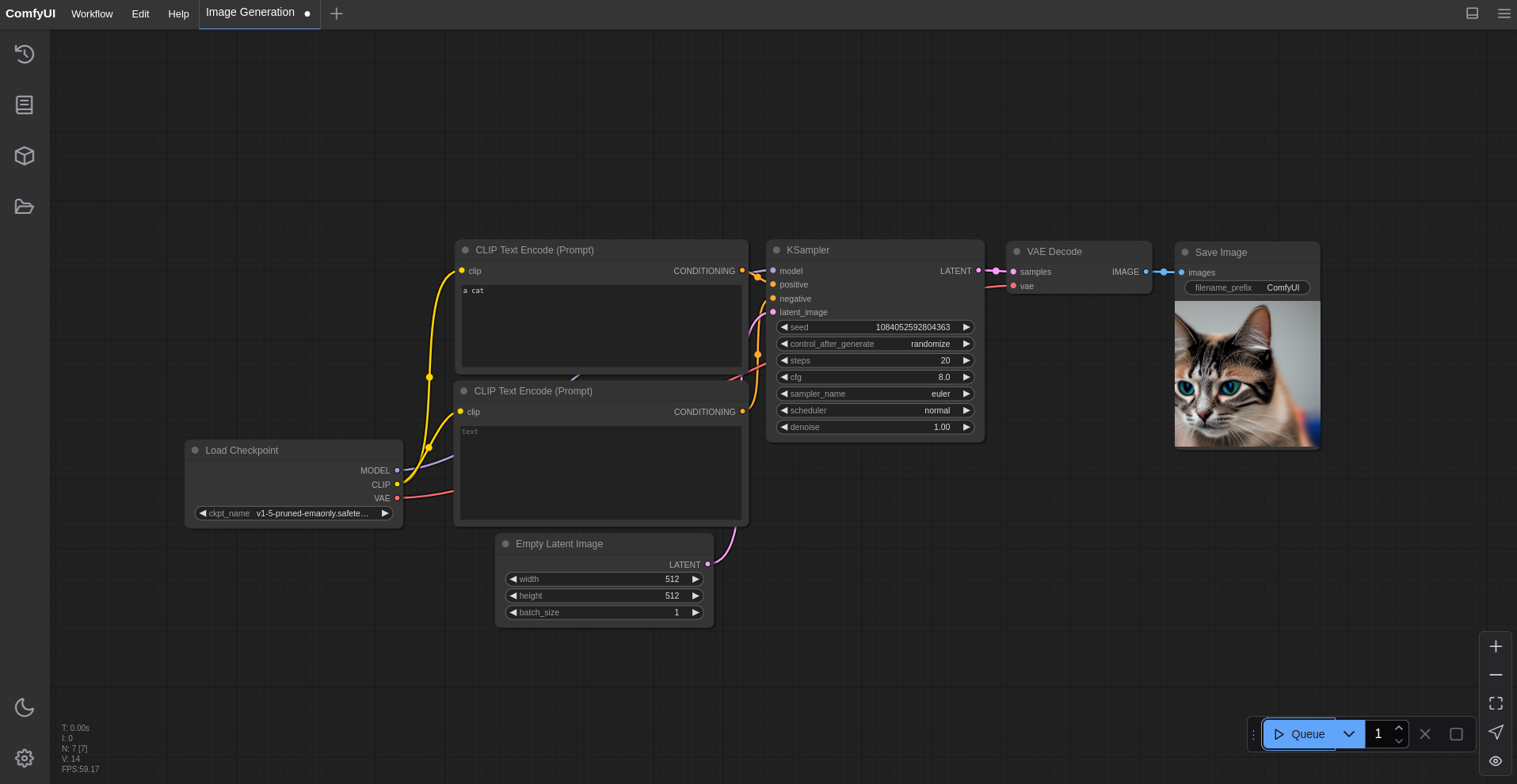
Recognizing the need for granular control over every stage of image generation, we shifted to ComfyUI. Unlike its predecessors, ComfyUI offered a node-based workflow that allowed us to build our own custom processing pipeline from the ground up.
Beyond its flexibility, ComfyUI also benefited from heavy community support, with a vast collection of community-created nodes and workflows. This made it easy to experiment with advanced techniques and optimize our workflows. Additionally, we were able to develop our own custom nodes, tailoring the pipeline even further to meet our specific requirements.
A basic text-to-image workflow in ComfyUI
By integrating specialized nodes, we resolved the detail restoration issues seen in earlier pipelines. The text and logos remained sharp even after lighting adjustments, while background integration improved significantly. This allowed us to fine-tune every step of the pipeline—from generation to final refinement.
With ComfyUI, we achieved a well-balanced result—improved relighting, better background integration, and preserved text clarity.
Final comparison: Results across frameworks
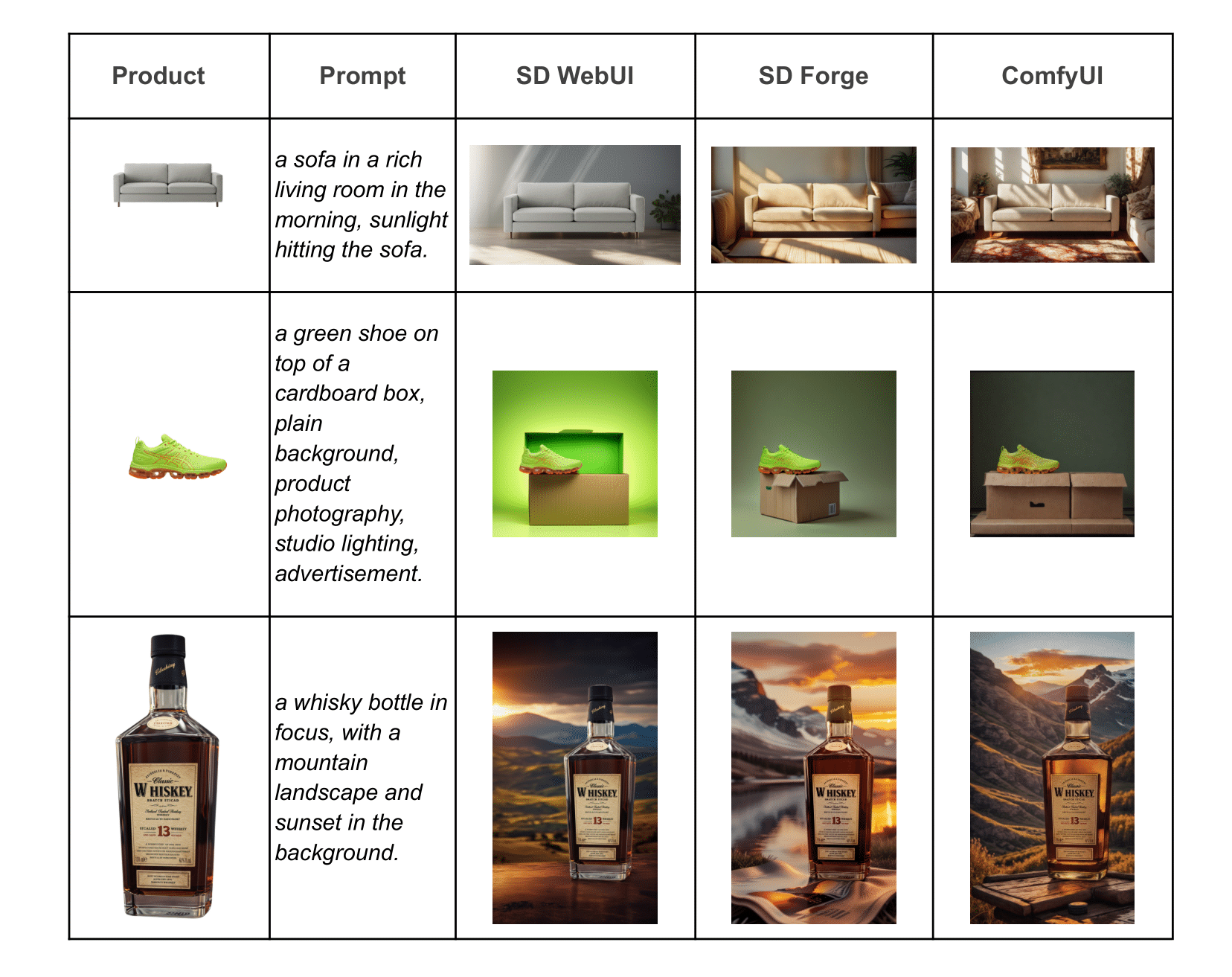
Each framework brought unique strengths. WebUI excelled at quick experimentation but lacked blending and performance. Stable Diffusion Forge enhanced relighting but compromised fine details. ComfyUI allows full customization, balancing lighting, blending, and detail preservation.
To compare, we tested three product images—a sofa, a shoe, and a bottle—each with varying complexity, each with different levels of detail to evaluate the outputs of each pipeline. The sofa had no intricate details, making it a good subject for testing lighting and shading. The shoe had minimal details, such as stitching and basic branding, which allowed us to evaluate how well the framework preserved smaller elements. The bottle, on the other hand, contained significant details, including text, logos, and fine textures, making it the ultimate test for precision and blending.
Analyzing the results
Sofa: In WebUI’s pipeline, the sofa appeared pasted onto the background with minimal blending. Stable Diffusion Forge improved relighting, but the background itself still lacked realism. The ComfyUI pipeline resolved both issues, achieving a more natural and seamless integration.
Shoe: WebUI’s output again had a pasted effect, with the shoe appearing to float on the edge of the cardboard box. Forge improved lighting and depth, but in doing so, it introduced too many artifacts along the shoe’s edges. ComfyUI refined this further, preserving original details while ensuring better background integration.
Bottle: WebUI struggled to adapt the product's lighting to match the new background, making the bottle appear out of place. Forge’s relighting added depth but sometimes resulted in unrealistic backgrounds. ComfyUI resolved these inconsistencies, ensuring balanced lighting while maintaining a more realistic overall appearance.
Looking ahead: The next frontier of AI-driven image generation
ComfyUI has greatly improved our workflow, but it still has some limitations. A major challenge is generating professional-grade, realistic backgrounds, which aren't yet at the level we aim for. However, with new advancements and better base models like Flux, along with relighting models built on top of them, we expect to overcome these challenges soon.
Our journey from WebUI to Stable and ComfyUI shows how self-hosted AI pipelines can transform product image generation. As AI models improve, we are dedicated to exploring new creative possibilities and staying ahead of innovation. With continuous progress, AI-generated images are becoming as high-quality and efficient as traditional methods, shaping the future of visual content creation.
From ideation to innovation, build your next AI breakthrough, the KeyValue way. Connect with us.
FAQs
What is ComfyUI used for?
ComfyUI is an open-source, node-based workflow editor for generative AI. It’s primarily used to build, customize, and execute image generation pipelines (such as Stable Diffusion) with full visual control. It allows users to create, edit, and automate complex AI workflows locally — supporting extensions for video, 3D, and other generative tasks.
What is Stable Diffusion WebUI Forge?
Stable Diffusion WebUI Forge is an enhanced, high-performance version of the Stable Diffusion WebUI designed for efficiency and scalability. It optimizes GPU memory usage, improves generation speed, and supports larger models and batches — making it ideal for advanced AI image generation workflows and experimentation.
What is the AUTOMATIC1111 WebUI?
AUTOMATIC1111 WebUI is a free, open-source web-based interface for the Stable Diffusion image-generation model family. It lets users run Stable Diffusion locally in a browser, upload models and extensions, and fine-tune generation—text2image, image2image, inpainting, upscaling—through a full featured UI.
What is the difference between AUTOMATIC1111 WebUI, Stable Diffusion WebUI Forge, and ComfyUI?
AUTOMATIC1111’s WebUI is built for accessibility and quick experimentation. Stable Diffusion WebUI Forge adds better performance, relighting, and extension support. ComfyUI offers full flexibility through a node-based system for customizable, production-ready AI image generation.
What is the best self-hosted AI image generator?
There’s no single “best” self-hosted AI image generator — the right choice depends on your hardware, workflow, and goals. That said, a highly recommended option is Stable Diffusion WebUI Forge, an optimized open-source implementation of Stable Diffusion that can be self-hosted for maximum control and performance.