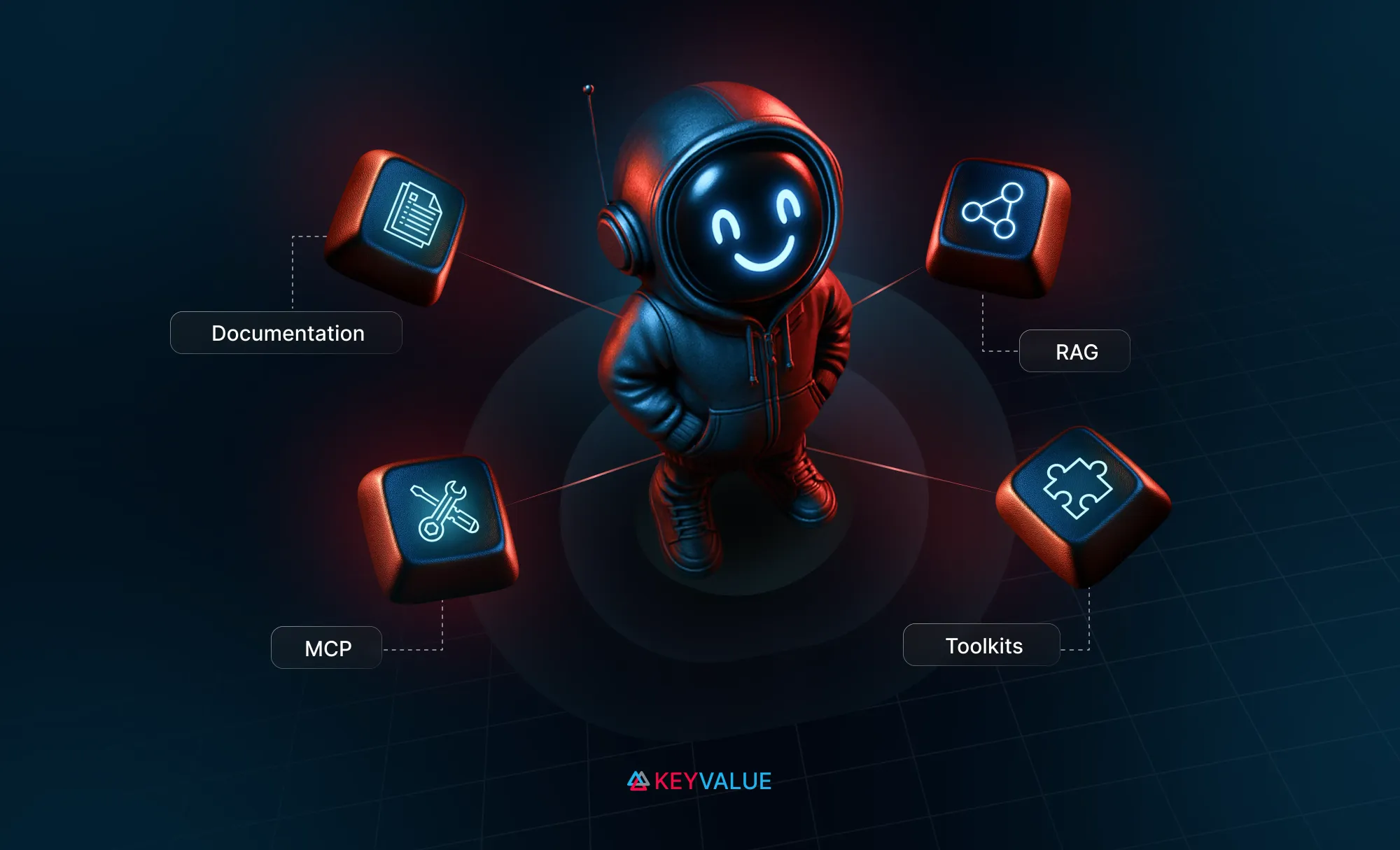
AI-native products start with AI-readable knowledge. Agentising your product begins by making documentation machine-readable and LLM-friendly, turning static docs into a foundation for AI reasoning.
Discoverability enables intelligence at scale. A RAG layer makes your product’s knowledge searchable and context-aware, enabling natural-language querying for agents and developers.
MCP turns understanding into action. MCP servers expose product capabilities as tools, allowing AI agents to take secure, real-world actions within agentic workflows.
Toolkits make products AI-native. Framework-ready toolkits transform APIs into plug-and-play tools for seamless use in multi-agent AI systems.
Do you want to make your product not just AI-compatible, but AI-native - something that agents and LLMs can actually use, reason with, and act through?
Let me walk you through how we approached this with Siren - our single API platform for multi-channel communications. We’ll explore what it takes to build such an ecosystem around your product.
You’ve probably heard the term “productionize your model” -well, I’m coining a new one here: “Agentise your product”.
We’ve broken it down into four practical stages - from simply being “AI-readable” to becoming an active participant in AI-driven workflows.
Stage 1: Documentation - Making knowledge AI-friendly
When GenAI first took off, everyone’s first project was a chatbot trained on their docs. But before you even get there, your documentation needs to be something AI can understand.
For Siren, that meant revisiting our docs at docs.trysiren.io. Our developer guides were comprehensive, but they weren’t structured for language models. So the first step was AI-enabling our documentation - making it machine-readable.
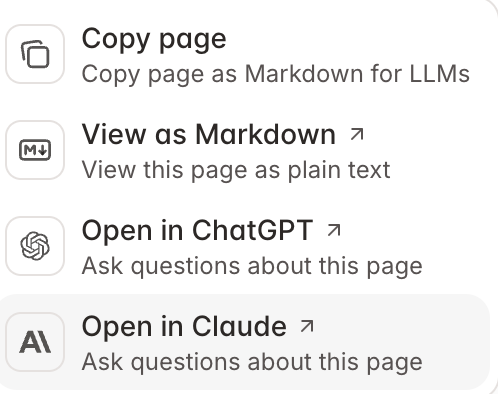
We moved our documentation to Mintlify, which exports Markdown and supports direct “Ask ChatGPT” and “Ask Claude” integrations.
This shift turned our static documentation into something dynamic - consumable by both humans and LLMs.
Stage 2: Discoverability - From docs to RAG
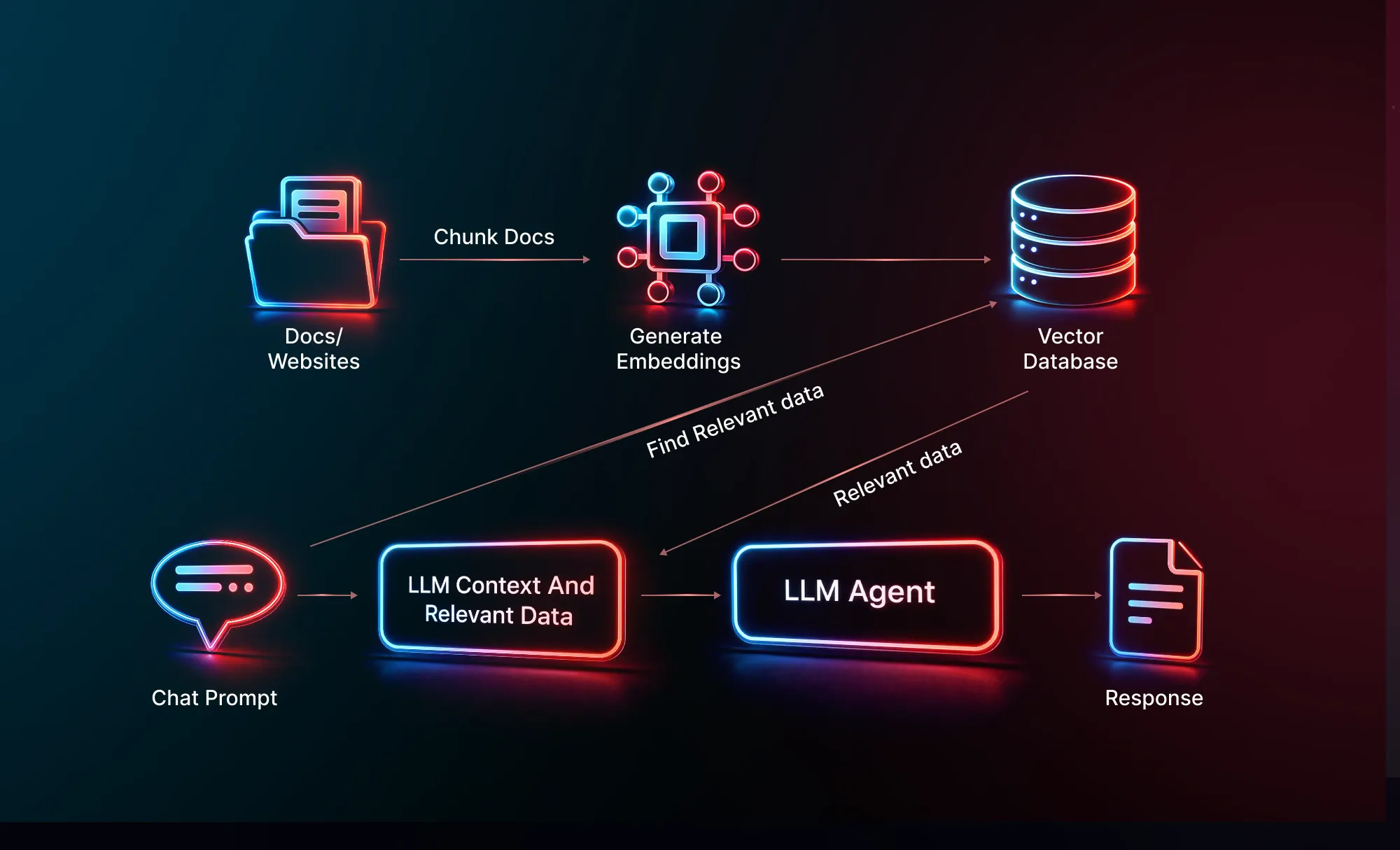
Once our documentation was in an AI-friendly format, the next step was to make it discoverable. That’s where Retrieval-Augmented Generation (RAG) comes in - letting LLMs query your content intelligently.
We can then implement a RAG layer on top of Siren’s documentation to power natural-language queries for developers and agents alike.
• Expose an API endpoint so that agents or developers can query docs directly
This setup helps with onboarding, and troubleshooting, especially in environments where Siren is part of a larger GenAI system.
Stage 3: MCP-ready - Letting AI agents take action
Once your documentation can answer questions, the next step is letting AI take actions. That’s where the Model Context Protocol (MCP) comes in.
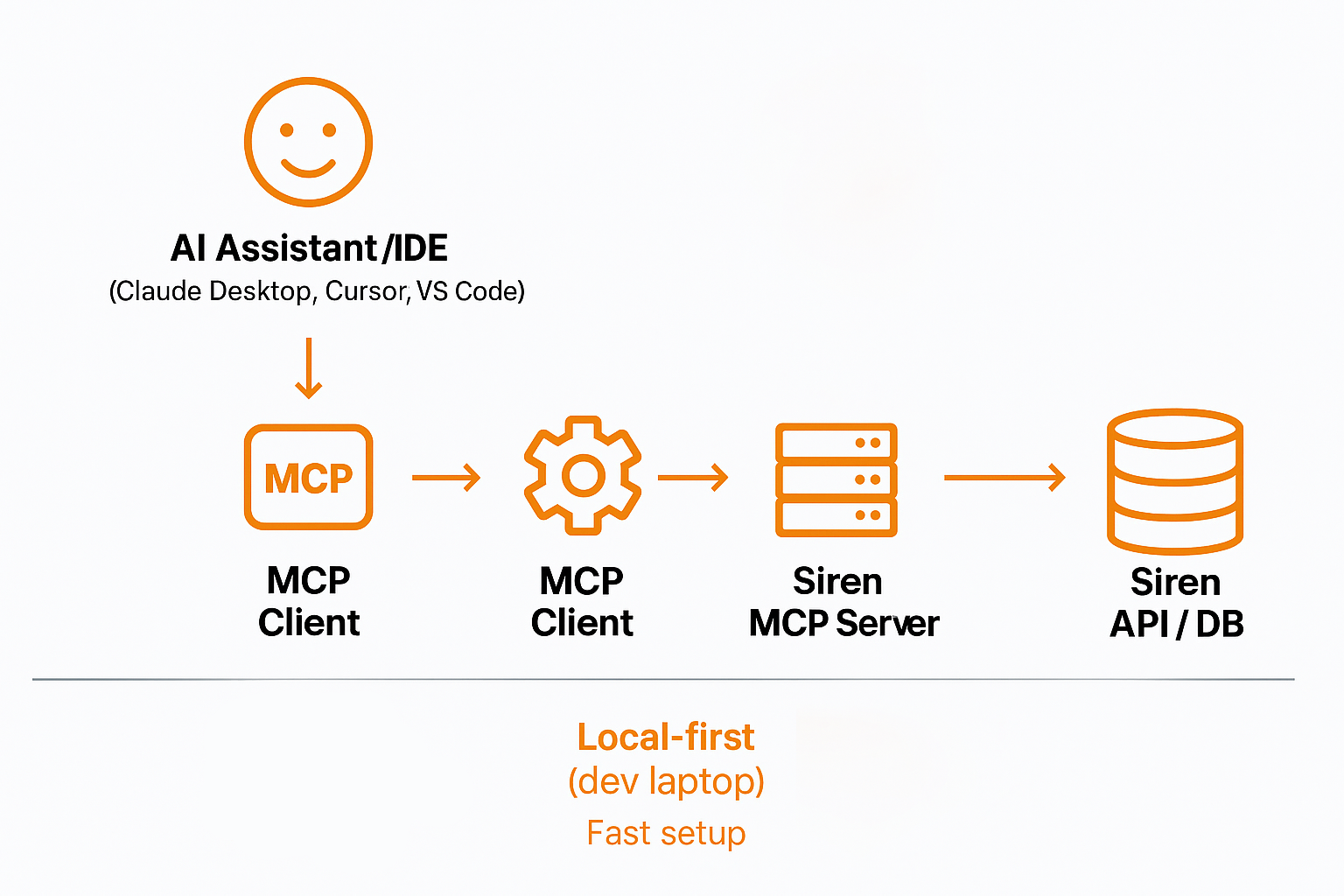
An MCP Server is a runtime that exposes your product’s capabilities as tools that agents can use directly. We started by building a local MCP Server for Siren, enabling users to send messages, manage templates, or retrieve logs directly through AI chat interfaces like Claude Desktop or VS Code.
We intentionally started with local MCP servers. It was fast, easy to set up, and didn’t require solving infrastructure-level security and authentication challenges up front.
But as adoption grows, remote MCP servers become the next step, especially for production use cases, where agents run in the cloud or in continuous workflows.
This brings us to an important area of ongoing development: security, authentication, and trust boundaries for remote MCP servers.
The broader community is actively discussing how to handle secure authentication and authorization for MCP servers. You can follow one such conversation here.
As the standards mature, we can move to remotely hosted MCPs with fine-grained permissions, token scopes, and multi-tenant isolation.
With documentation in place and MCP servers running, it's now much easier to interact with our product using various tools. This foundation lets us go further.
Stage 4: Toolkits - Becoming AI-native
Let’s take the case of a customer using Siren — suppose an organization is building a customer support AI agent and wants to integrate Siren into their agentic workflow. Organizations might be using different frameworks like LangChain, OpenAI Agents, CrewAI, or others. So how does Siren support these?
Now that agents can interact with your product, the final stage is making it native to agentic frameworks. This is where Agent Toolkits come in.We built toolkits for LangChain, OpenAI Agents, and CrewAI in both TypeScript and Python. These toolkits expose our APIs as pre-built, schema-defined, type-safe tools ready to drop into any AI agent.
Trigger multi-channel communication via a unified endpoint
Control accessible tools for governance and safety
Drop our tools into agents with minimal setup
Take a look at our agent toolkit and the set of frameworks and how to integrate Sirento these frameworks here
From APIs to agents: The journey to AI-native products
To summarise, agentising your product is a journey:
1. Documentation - make your product’s knowledge AI-readable.
2. Discoverability - make it searchable through RAG.
3. MCP-Ready - make it actionable by AI agents.
4. Toolkits - make it native to the agent ecosystem.
For Siren, this journey turned our communication API into a plug-and-play AI component. For your product, it can do the same - turning static APIs into dynamic, intelligent participants in GenAI workflows.
Siren is a snapshot of how we design AI-native products at KeyValue, moving past APIs to agent-ready architectures. If you’re rethinking your product for an agent-first future, this is the path we’re exploring. Let’s connect!
FAQs
1.What does AI-native actually mean?
An AI-native product is built so AI systems can understand, reason about, and act through it. Its knowledge is machine-readable, its capabilities are exposed as tools, and agents can interact with it directly—not just via human interfaces.
2.What’s the difference between AI-native and AI-enabled?
AI-enabled products add AI features on top of existing workflows. AI-native products are designed for agents first—AI can discover knowledge, trigger actions, and operate autonomously within workflows.
3.What makes a product AI native?
A product is AI-native when it is designed so AI agents and LLMs can understand its knowledge, discover its capabilities, and take actions through it. This typically means having AI-readable documentation, a RAG-based discovery layer, MCP or tool-based action interfaces, and agent-ready toolkits that let AI systems reason and operate within real workflows.
4.How do you make a product AI-compatible?
You make a product AI-compatible by ensuring its knowledge and interfaces are usable by AI systems. This starts with AI-readable documentation (structured, machine-consumable formats like Markdown), followed by clear, stable APIs and schemas that LLMs can reason over. At this stage, AI can understand the product, but cannot yet act autonomously through it.
5.How do you make a product AI-ready?
A product becomes AI-ready when it moves from being understandable by AI to being actionable by AI. This involves enabling contextual discovery through retrieval (RAG), exposing product capabilities as structured tools via MCP or similar protocols, and shipping agent toolkits so AI frameworks can reliably invoke those actions within real workflows.
6.What factors should be considered when making a product AI-ready?
Key considerations include how product knowledge is structured and versioned for LLMs, how securely actions are exposed to agents, and how governance is enforced through scoped permissions and trust boundaries. Equally important is framework compatibility—ensuring the product can be used natively across popular agent ecosystems without custom glue code.
7.What role does MCP play in agentising a product?
MCP enables AI agents to take real actions by exposing a product’s capabilities as structured, secure tools. It bridges understanding and execution—allowing agents to trigger workflows, manage resources, and interact with the product programmatically, not just read about it.